
Local contractors — landscapers, pavers, restoration teams — depend on their websites to reach homeowners and land high-value jobs. Faster page speed improves the user experience and search rankings, which brings more qualified leads and higher revenue. This article lays out clear, actionable steps tailored to contractors so you can turn more visitors into paying customers.
Why Page Speed Is a Critical SEO and Business Factor for Contractors
Page speed matters because it affects both search visibility and homeowner behavior. A fast site helps homeowners find your services and stay on the page longer, increasing the chance they’ll request a quote. Since Google uses speed as a ranking signal, slow sites risk losing visibility to quicker competitors. For contractors chasing high-ticket work, improving page speed is a practical, strategic way to stay competitive and grow your business.
For example, landscapers and demolition companies competing in the same local market can lose leads simply because a competitor’s site loads faster.
E-commerce Website Speed & Core Web Vitals Impact
The XYZ e-commerce site experienced a long-term drop in user engagement after key features and performance were neglected. Slower pages reduced customer interest and sales, and prolonged performance decline can even affect ad eligibility and search visibility. Regular maintenance and attention to Core Web Vitals are essential to prevent those losses.
The website optimization and analysis on XYZ website using the web core vital method, A Zahra, 2023
How Google Measures Page Speed for Local Service Websites
Google uses Core Web Vitals like Largest Contentful Paint (LCP), First Input Delay (FID), and Cumulative Layout Shift (CLS) to evaluate page speed. These metrics tell you how quickly pages render, how responsive your site is to clicks or taps, and how stable the layout is while loading. Tools such as Google PageSpeed Insights translate those metrics into practical recommendations contractors can use to improve the homeowner browsing experience.
The Business Impact of a Slow Website on Contractors
Slow sites lose homeowners before they see your services, which means missed job opportunities. Research shows 53% of mobile users abandon pages that take longer than three seconds to load. For contractors, that translates into fewer inquiries and lower revenue. Fast-loading sites build trust and make it more likely homeowners will contact you for landscaping, paving, or restoration projects.
Consistently improving web performance correlates with higher user satisfaction and more booked jobs, so speed optimization directly supports your bottom line.
Web Performance Tools & Core Web Vitals for Business Success
In today’s market, users expect instant, seamless experiences. Studies show a large portion of visitors will leave if a site takes too long to load, making measurement and optimization essential. Tools like Lighthouse, PageSpeed Insights, and WebPageTest help you track core metrics such as LCP and FID and target fixes that reduce bounce rates and improve conversions. Prioritizing these vitals drives better engagement and business outcomes.
Web performance tooling and the importance of web vitals, MK Dobbala, 2022
How to Check Your Page Speed Before You Fix It
Start by measuring your current page speed to find the biggest bottlenecks. Several free and paid tools give detailed performance reports and prioritized recommendations.
Google PageSpeed Insights
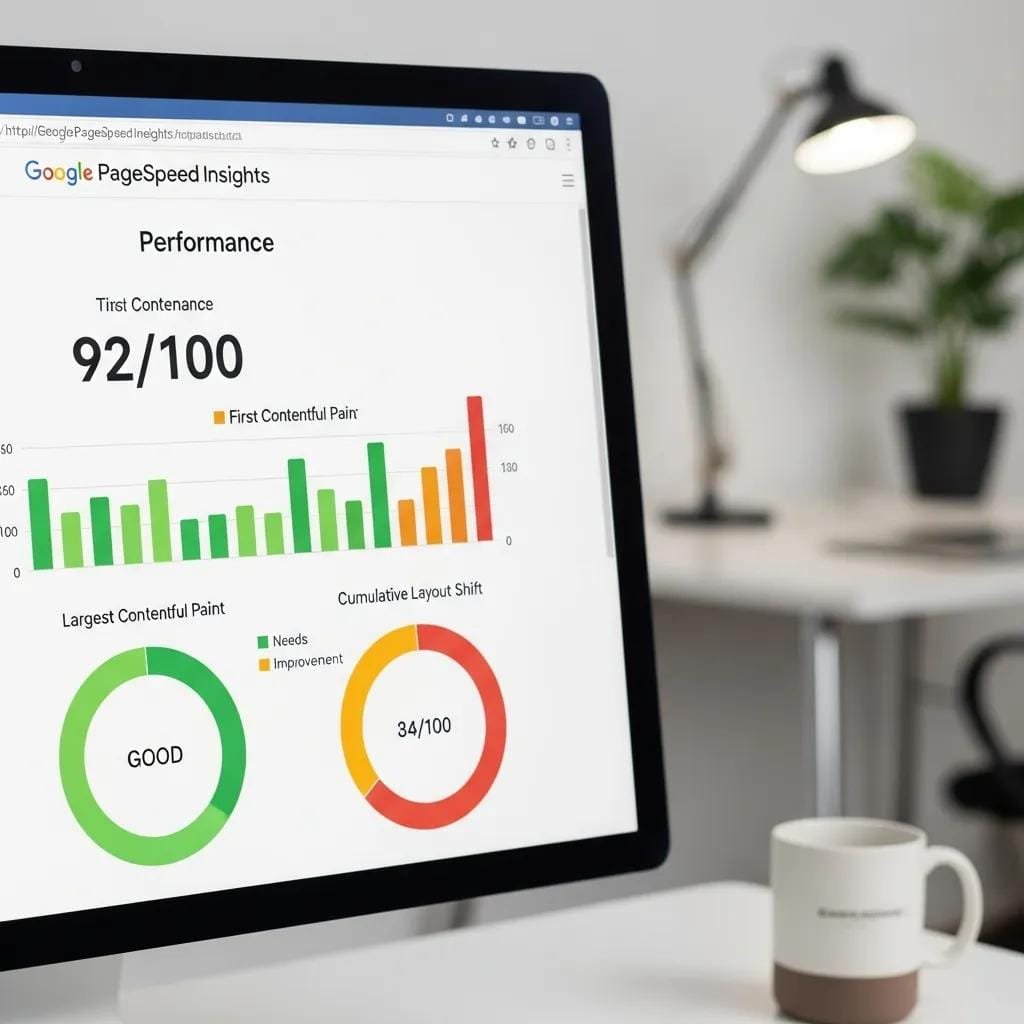
PageSpeed Insights analyzes page content and returns a score from 0–100; higher is better. It also lists specific fixes — like image compression and server improvements — that matter most for contractors who want to make a quick, visible impression on homeowners.
Core Web Vitals in Google Search Console
Search Console shows how your pages perform in real-world conditions and highlights which URLs need attention. Monitoring these reports helps ensure your site meets homeowner expectations and keeps search rankings healthy.
GTmetrix and WebPageTest
GTmetrix and WebPageTest provide deeper diagnostics, including waterfall charts and geographically distributed testing. These tools pinpoint specific resource issues and help you prioritize fixes that will actually move the needle on load times.
How to Increase Page Speed — 7 Proven Fixes for Contractors

Apply these seven practical fixes to speed up your site, improve user experience, and increase conversions from homeowners.
- Compress and Optimize Your Images: Large images are often the biggest cause of slow pages. Compress images, convert to next-gen formats like WebP, and use lazy loading so below-the-fold images load only when needed.
- Enable Browser Caching: Set cache headers to store frequently used resources on visitors’ devices. That makes repeat visits much faster for homeowners who return to your site.
- Minify CSS, JavaScript, and HTML: Strip out comments, whitespace, and unused code with tools like UglifyJS and CSSNano to reduce file size and speed up downloads.
- Use a Content Delivery Network (CDN): A CDN serves files from servers closer to the visitor, cutting latency—especially useful if you serve customers across a wider region.
- Reduce Server Response Time: Optimize server settings, upgrade hosting, or move to a dedicated environment so your server responds faster to requests.
- Eliminate Render-Blocking Resources: Defer or load JavaScript and CSS asynchronously so your page content can appear sooner and keep homeowners engaged.
- Optimize for Mobile Speed: Most homeowners browse on phones. Use responsive design, compress mobile images, and test mobile load times to capture on-the-go traffic.
For contractors who prefer professional help, Demand Convert provides specialized web design and optimization services built for local trades. Our team can implement these fixes so your site meets homeowner expectations and drives more inquiries.
When applied correctly — especially server tuning and caching — these strategies reliably improve performance and boost contractor lead generation.
Caching & Server Optimization for Website Performance
A careful review of server efficiency and interface latency revealed clear improvement opportunities. Using browser-based tools and server benchmarking, the team optimized Apache, introduced caching layers, and streamlined AJAX calls. These changes, rolled out in 2008–2009, delivered measurable performance gains for the site.
Using caching and optimization techniques to improve performance of the Ensembl website, JA Smith, 2010
Quick Wins vs. Deep Technical Fixes for Contractors
Know which improvements you can make immediately and which ones need more time or technical expertise. Quick wins give fast, visible results; deeper fixes require planning but deliver long-term gains.
What You Can Fix Today
- Optimize Images: Compress and convert images to next-gen formats.
- Enable Browser Caching: Add cache headers so resources load faster for returning visitors.
- Minify Code: Use minifiers to shrink CSS, JavaScript, and HTML files.
These quick actions can noticeably reduce load times, improving homeowner experience and the chances of securing high-ticket jobs.
When to Bring in an SEO Expert
If your issues involve server configuration, complex scripts, or you simply don’t have the time, an SEO or web performance expert can implement deeper fixes. Professionals can handle advanced techniques that maximize speed and preserve your search visibility.
How Page Speed Fits Into Your Overall SEO Strategy for Contractors
Page speed is a core part of your broader SEO strategy. Faster pages improve user engagement and lower bounce rates, which helps search engines favor your site in local results. Combining speed optimization with content and local SEO ensures your website attracts and converts homeowners searching for landscaping, paving, restoration, or demolition services.
This integrated approach helps contractors dominate local search, build trust, and generate more high-value jobs.
Frequently Asked Questions About Page Speed for Contractors
Here are answers to common contractor questions about page speed and its business impact.
- What is a good page speed score? Aim for a score of 90 or above on Google PageSpeed Insights — a reliable indicator your site offers a fast, smooth experience.
- How often should I check my page speed? Check regularly, and always after major updates or new content. Monthly monitoring is a good baseline for most contractors.
- Can I improve page speed without technical knowledge? Yes. Many quick wins—image optimization, caching, and basic minification—can be implemented without deep technical skills.
Understanding these basics helps contractors keep a fast, user-friendly site that attracts and retains homeowners.
Ready to Boost Your Contractor Website’s Speed and Win More Jobs?
Partner with Demand Convert to optimize your site for speed and search. Our team specializes in helping local contractors attract homeowners and secure higher-value trade jobs through targeted web design and performance work.
To amplify results, consider our social media services to drive more traffic to your optimized site.
Subject Matter Context
Core Pillar Connection: This technical guide is part of our High Performance Contractor Web Architecture series. For comprehensive execution and guaranteed results in your local area, review our official protocol: High-Performance Mobile-dominant Contractor Conversion Engines .

 Basic Website Design Elements Every Business Should Have